
Report it in seconds.
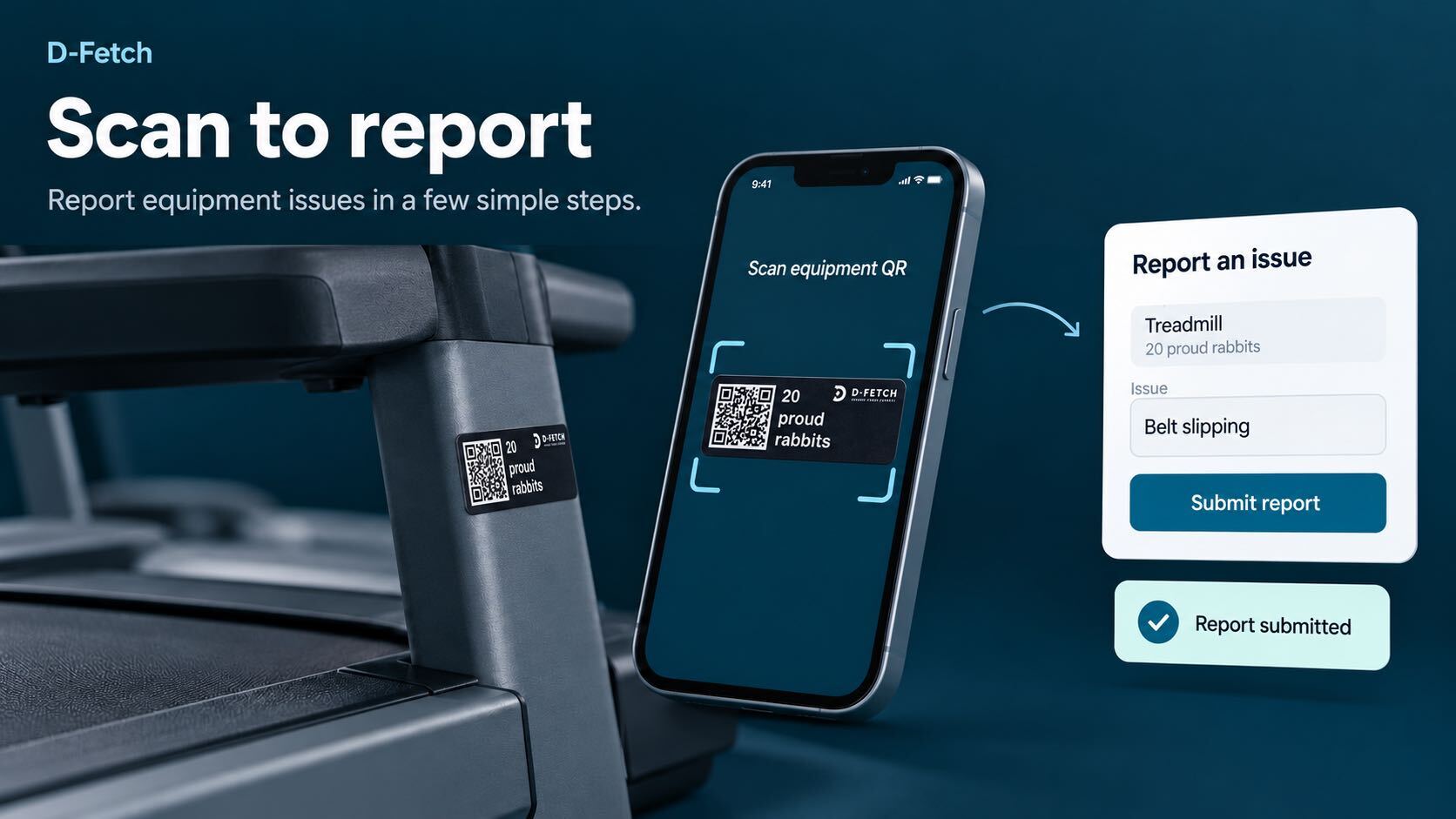
Anyone on site reports an issue in one scan or one click — no forms to find, no app to download.

SOLUTIONS | TICKETING
Fragmented ticketing is one of the biggest blockers to digitising operations — issues scattered across apps, forms, calls and support tools, with no link back to the actual asset. D-Fetch Ticketing keeps every report, repair and conversation in one synced system, cutting the time between a fault being reported and a technician being dispatched.
The challenge
When every department runs its own way of reporting issues, nothing adds up. Tickets live in email threads, WhatsApp groups, paper notes and support tools, with no link back to the asset they concern. The same asset breaks twice in a month and nobody sees the pattern, and downtime is a guess rather than a number.
D-Fetch starts from the ticket instead of the inbox. Every report lands in one synced system, tied directly to the asset it concerns — and stays there as part of the asset's history.
The full picture
Anyone on site reports an issue in one scan or one click — no forms to find, no app to download.
Everything reported by staff, members or technicians lands in one place, tied directly to the asset it concerns.
Assign, prioritise and comment directly in the platform so equipment gets back in service sooner.
Downtime per asset and a full repair history turn every resolved issue into data for the next decision.
How it works
Every resolved ticket becomes part of the asset's record, so the next decision is based on its full history.
FEATURES
01 / Reporting
Anyone with ticketing permissions can create, view and manage tickets — from the app, a QR scan or a chat message. Every ticket is created directly against the asset it concerns, with the reporter's description and photos attached, so issues are handled locally before they need to escalate.
02 / External integrations
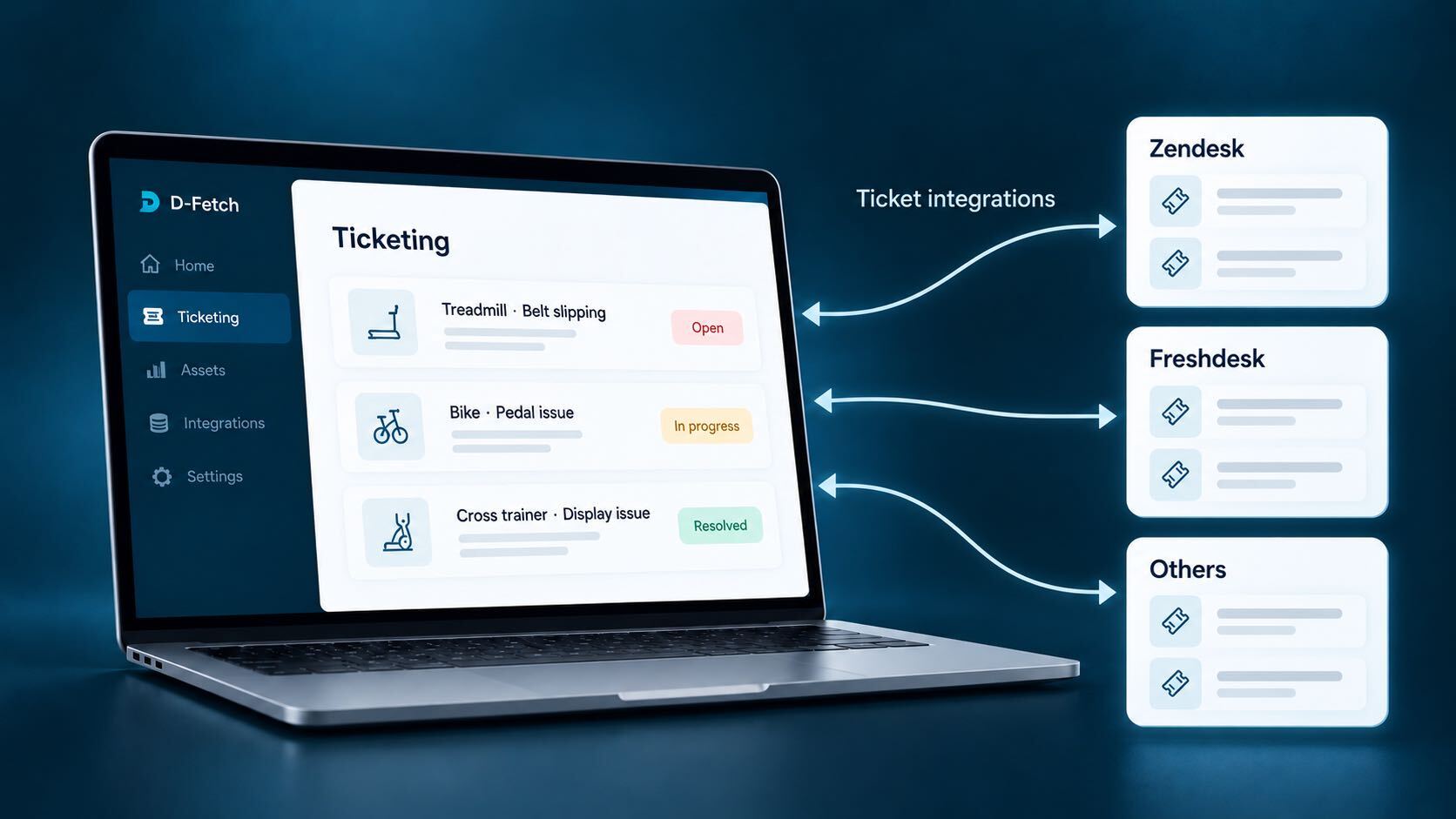
D-Fetch comes with its own ticketing system, built in and ready from day one. Already using Zendesk, Freshdesk or another helpdesk? Connect it instead. Tickets created from the app, chat, forms or calls go straight to the right team, in the system they already work in. Downtime is calculated automatically and ready to analyse immediately.
03 / Communication & history
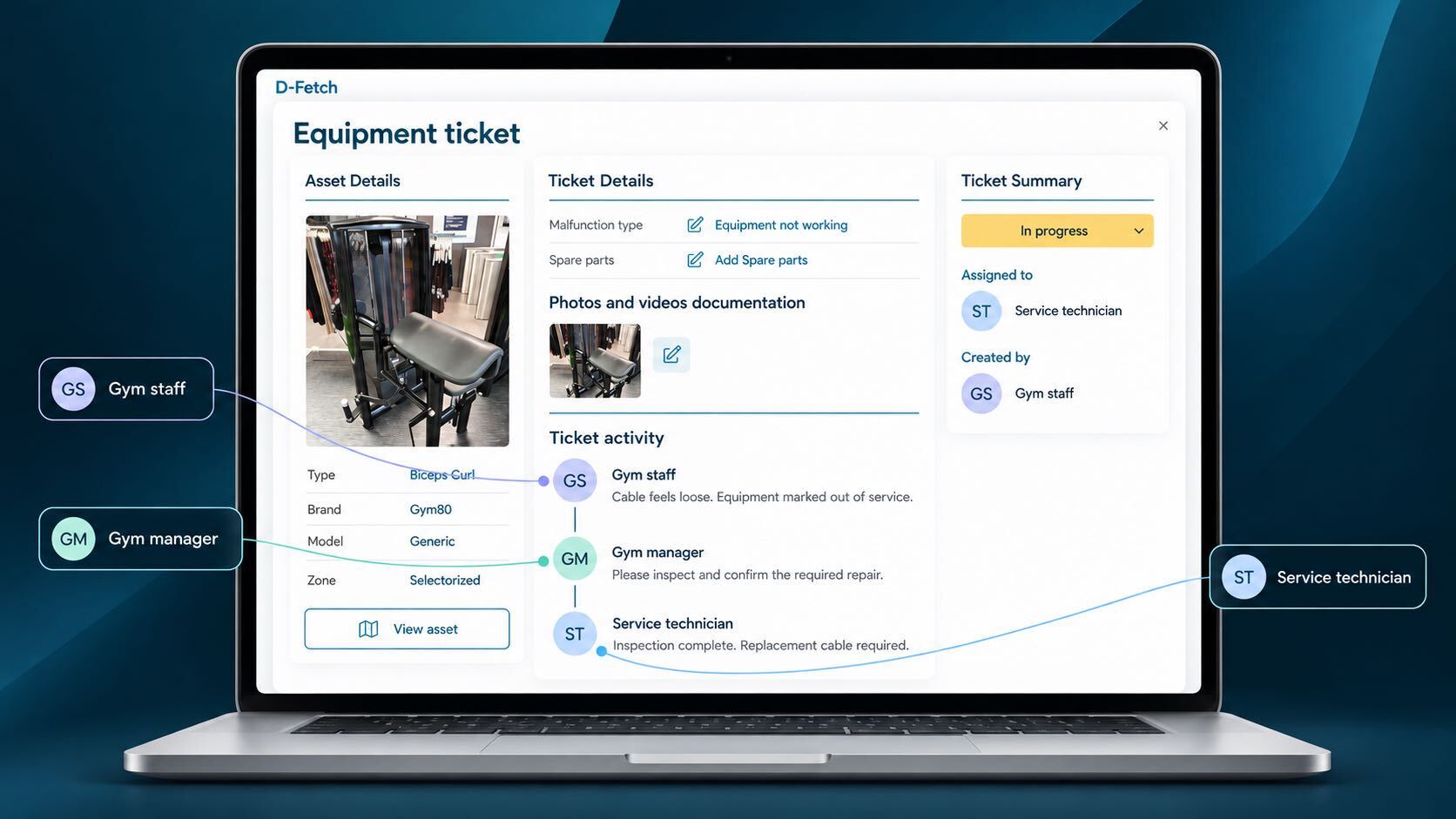
Staff and technicians work in one shared communication thread tied to the ticket, and every repair, part and warranty claim stays linked to the asset. The result is a complete lifecycle view on each asset — the basis for repair-versus-replace decisions.
04 / Downtime statistics
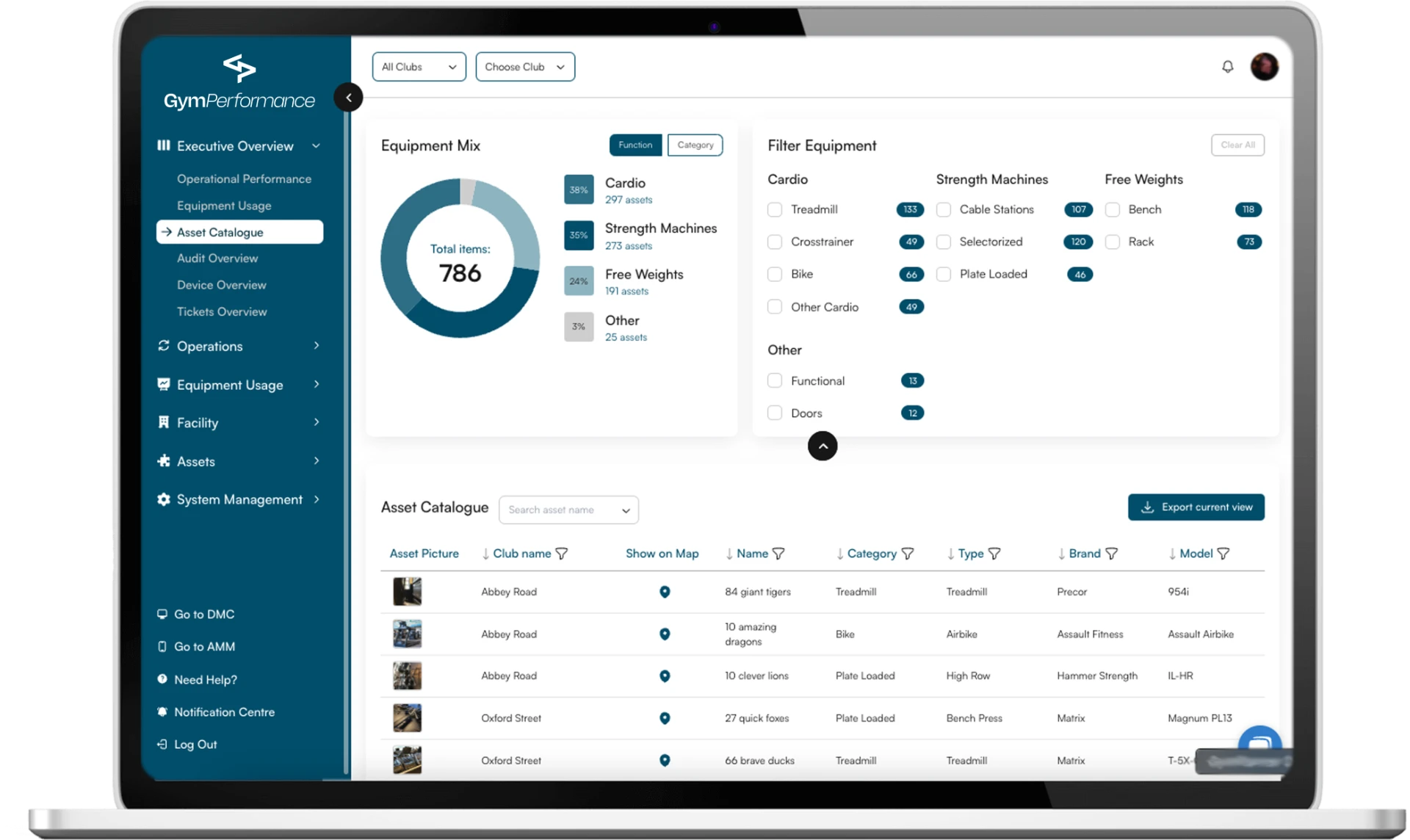
See downtime per asset to catch recurring problem equipment early, and build dashboards so club staff, technicians and operations managers each see the data that matters to them.
05 / Linked to the asset
Because every ticket is tied to the asset it concerns, resolved issues become part of the asset's record — alongside registration, maintenance and costs. The next decision about that asset is based on its full history, not on scattered emails.
ISO 9001 compliance
ISO 9001 asks you to prove that your equipment is maintained, that repairs are traceable and that failures lead to lasting fixes. With every repair logged as a ticket tied to the asset it concerns, D-Fetch Ticketing gives you the documented evidence auditors look for.
Clause 7.1.3
Facility & equipment readiness
Proof that production equipment or training tools are maintained in a state that ensures product and service quality.
Clause 7.1.5
Calibration & measurement traceability
If a repair affects a measurement device (e.g. gauges, sensors), logs must trace back to national standards.
Clause 7.5
Data integrity & control
Records must be legible, identifiable, securely stored and protected against unauthorised changes.
Clause 8.5.1
Process control
Logs must show that equipment operations are properly managed to prevent defects or training inconsistencies.
Clause 10.2
Root cause analysis
Evidence that equipment breakdowns causing quality failures are analysed to prevent recurrence.
People & teams
Report an issue in one scan or click, with photos and location attached automatically.
See the ticket, the asset and its history in one place before the work starts.
Downtime per asset and dashboards that show where the problems are.
With external ticketing integrations like Zendesk and Freshdesk, tickets reach the right team and are synced automatically with GymPerformance.
Explore more
Register physical assets with a photo and a QR code, and track their full lifecycle.
See how equipment is actually used, in real time.
Standardise daily tasks and checks across every site.
Turn asset and usage data into concrete recommendations.
Every ticket tied to the asset it concerns — from the first report to the full history.