
See real usage.
How much each asset is used, which hours it is busy, and how the pattern shifts through the week.
SOLUTIONS | EQUIPMENT USAGE ANALYTICS
Now you can finally see how much each asset is used, when it is used and when it stops. Battery-powered sensors collect the readings quietly in the background, and the D-Fetch platform turns the data into a transparent equipment usage overview — with concrete, actionable insights and improvement suggestions.
How much
each asset is used — and exactly when
When it stops
you know immediately, and can get it fixed
What to do
concrete suggestions to add, move or replace
The challenge
Most decisions about equipment are made from estimates: a walk through the floor, a supplier's recommendation or last year's budget. How much a piece of equipment is actually used, and when, is rarely measured — so capacity gets added where it is not needed and left in place where it is.
D-Fetch measures use at the asset instead. Every use is recorded and time-stamped, and our platform turns that data into a transparent overview — how much is used, when it is used, and when it stops.
What you get
How much each asset is used, which hours it is busy, and how the pattern shifts through the week.
Equipment that stops shows up straight away, so you can notify staff and get it fixed before days pass.
Bottlenecks and underutilized equipment are both visible — with the hours they happen.
Concrete recommendations on what to add, move or replace, not just charts to look at.
How it works
Every reading travels the same path — from the sensor on the asset to a suggestion you can act on.
FEATURES
01 / Real usage data
Equipment usage stops being a guess. You see how hard each asset works, which hours and days it is busy, and how the pattern shifts through the week — per asset, per area and per site. Because the readings are collected the same way everywhere, everyone reads the same numbers: operations, finance and leadership all work from the same source.

02 / Downtime & alerts
Equipment that stops working shows up in the data straight away, so you do not discover days later that it has been standing idle. Notify the right staff member to fix it, and turn the stop into a ticket so it is followed up and resolved. Every stop also becomes part of the asset's history, so recurring problems are easy to spot.

03 / Bottlenecks & idle equipment
Stations that create waiting show up in the data, together with the hours the queues happen, so you know exactly where to add capacity. Assets that rarely get used are just as visible, freeing up space and capital for what people actually want.

04 / Better decisions
When you can compare efficiency between assets, investment decisions become straightforward. Move the equipment people actually use, replace the assets that cannot keep up, and stop buying what the data shows nobody needs.
05 / The sensor behind the data
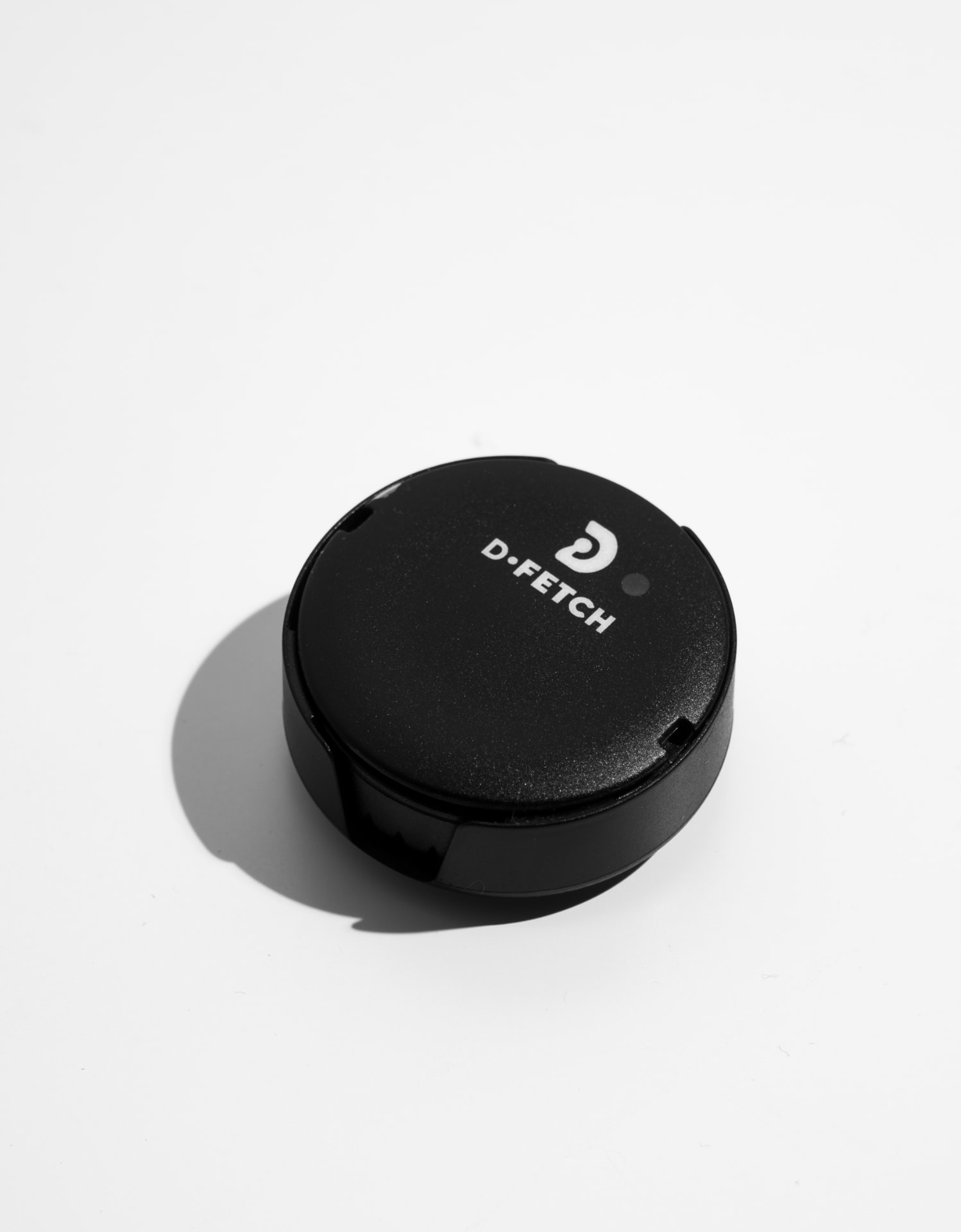
The data is only as good as what feeds it, so the sensor is fitted to the asset itself, where the use actually happens. It works on equipment of any brand, age or type, and sends its readings without wiring or IT setup on site. The sensor runs on battery for up to five years, and is calibrated in minutes when it is fitted, moved or replaced.

06 / Every site, one view
The same view works whether you run one location or a hundred. Sites are directly comparable because the data is collected the same way everywhere, so you can spread what works and pull back what does not.
Where it works
See which equipment is running, which has stopped and where production is actually held up.
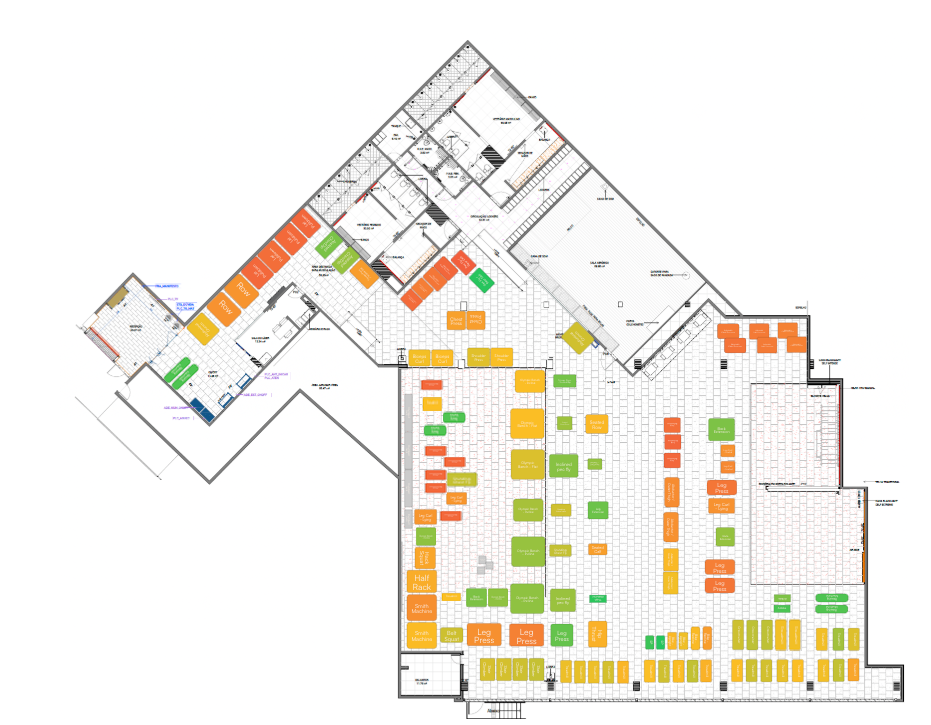
Understand how rooms, pods and shared equipment are used before you change the layout.
Track how equipment in wards, clinics and shared areas is used across a facility.
Measure how equipment gets used across clubs and studios, and plan the mix around real demand.
People & teams
A clear view of what is in use, what is idle and what needs attention.
See instantly which equipment has stopped, get notified to fix it, and plan service around real use.
Purchase decisions based on how hard equipment is actually working.
Compare sites on the same basis and invest where the demand is.
Frequently asked questions
Yes. The sensor measures use rather than reading the asset's own systems, so it works on equipment of any brand, age or type.
Straight away. Equipment that stops shows up in the data, so you can notify staff and turn the stop into a ticket instead of discovering days later that it stood idle.
A transparent equipment usage overview per asset, per area and per site — how much is used, when, and when equipment stops — plus concrete insights and improvement suggestions.
Yes. Queues at busy stations and equipment that rarely gets used are both visible in the data, with the hours they happen.
Up to five years on a single battery. There is no maintenance in between, and the sensor is swapped when the battery is spent.
No. The sensors send their data points over their own low-power network and up to the cloud, so they add no load to your Wi-Fi and need no IT work on site.
Yes. Every data point is time-stamped and stored, so you can go back to how an asset was used on any day, not only the summary view.
Explore more
Register every asset and keep its location, history and costs in one place.
Turn asset and usage data into concrete recommendations.
See how desks, rooms and pods are actually used.
Turn issues into action with a connected workflow from report to resolution.
See how much is used, when equipment stops, and what to do next — from the same data.