
Plan against real capacity.
Schedule orders using measured cycle times and actual line output rather than theoretical throughput.
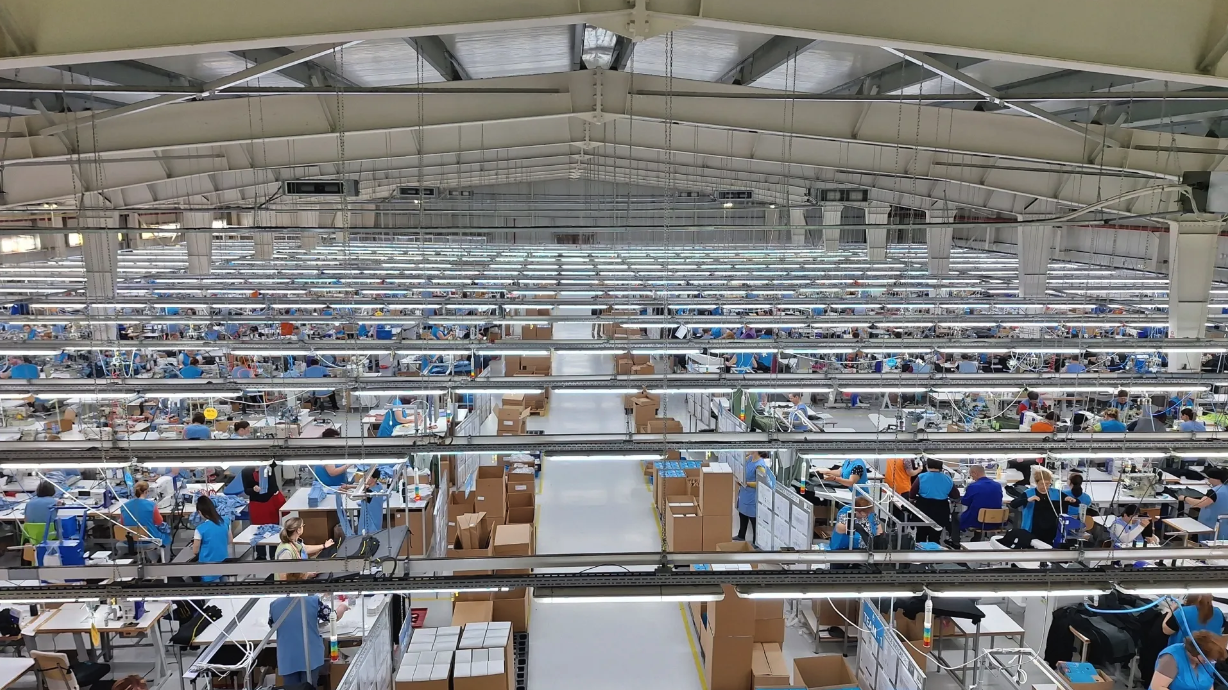
PRODUCTS | LINE PRODUCTION PERFORMANCE
Line Production Performance brings QR-labelled equipment, line planning and ticketing into one overview. Create different lines (modules), assign equipment to each line, report tickets and measure productivity so teams can follow performance and adjust their plans.
The challenge
The final output number tells only the end of the story. A difficult style may require more adjustments, an equipment fault may create a bottleneck further down the line, a quality issue may add rework, and a material delay may leave people and equipment waiting. By the time the weekly figure reveals the gap, the opportunity to influence the result is gone.
D-Fetch brings the production plan and actual output into the same picture, so leaders can see where a gap began, what else happened at the same time and who is best placed to act.
What you get
Schedule orders using measured cycle times and actual line output rather than theoretical throughput.
Stops, slowdowns and bottlenecks surface in real time so supervisors can move people and orders the same shift.
Follow an order from release to finished goods, with performance history attached to every line and workstation.
Relate repair tickets to assets, modules, styles and production periods so mechanics and production leaders can prioritise the issues with the greatest impact.
How it works
Every deviation becomes part of the record, so the next plan is built on what actually happened.
FEATURES
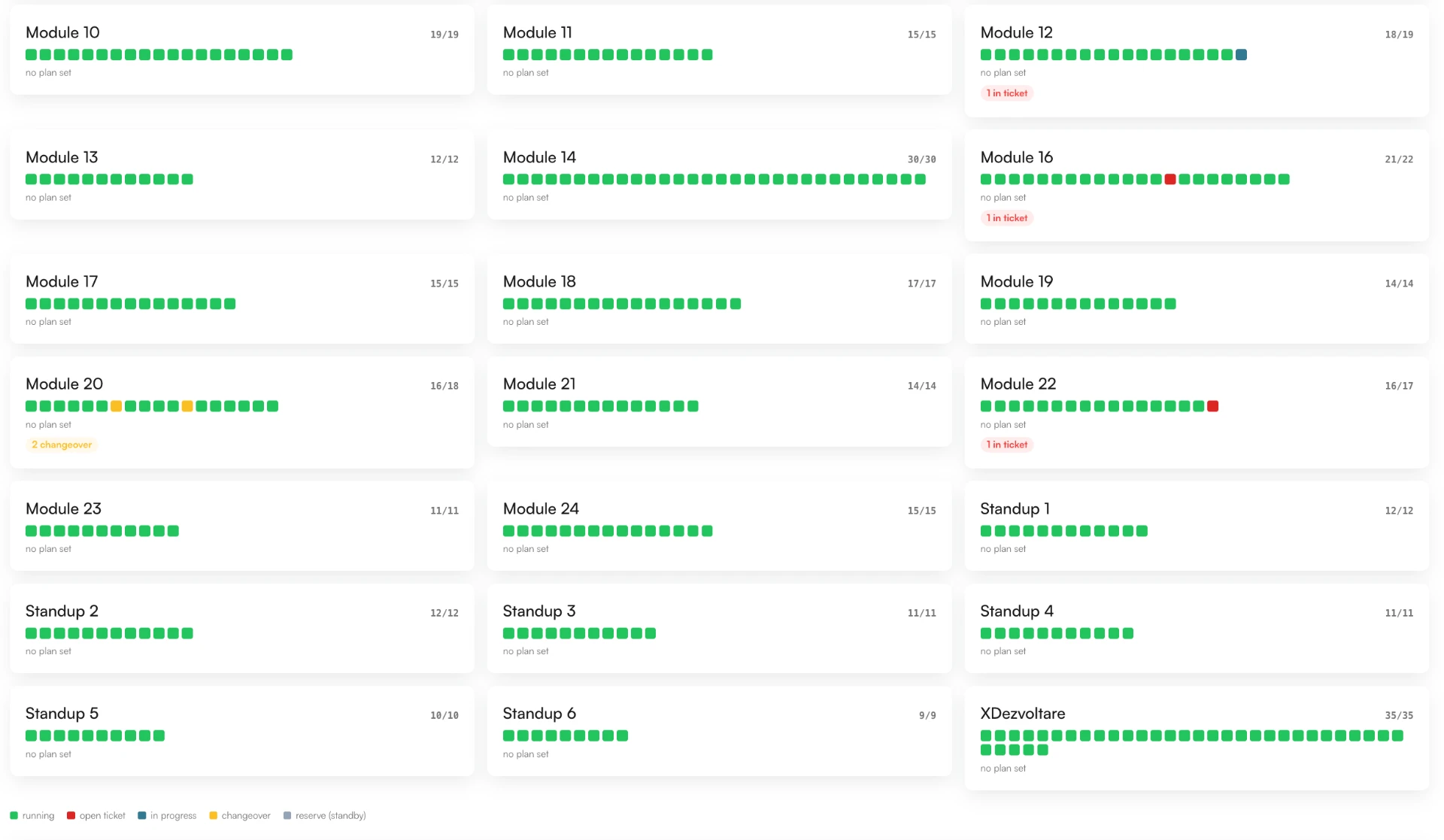
Floor overview — the state of every module at a glance
01 / Live line visibility
QR codes identify each piece of equipment. Group assets into lines (modules), report tickets against the right equipment and measure productivity across your lines. The floor overview shows every module at a glance — which lines are running, which have an open ticket, which are in changeover and which are on standby. Anyone walking in can read the state of the factory in seconds.
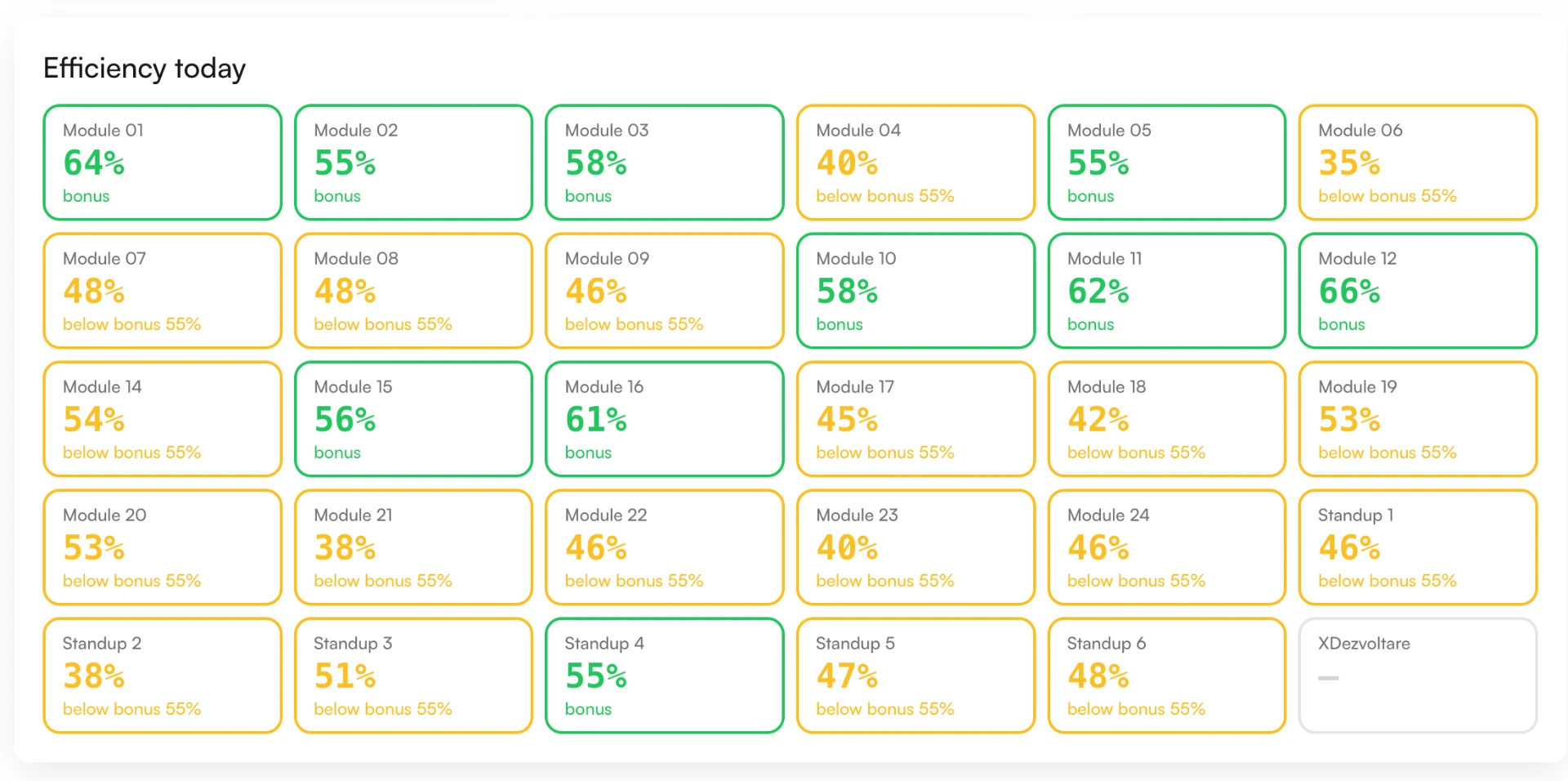
Efficiency today, module by module
02 / Efficiency today
Build shift plans and order sequences directly against measured capacity, and see immediately how a delay on one line affects the rest of the schedule. Efficiency is followed up per module against the agreed target, so team leaders see during the shift which modules are on target and where support is needed — not at the end of the week.
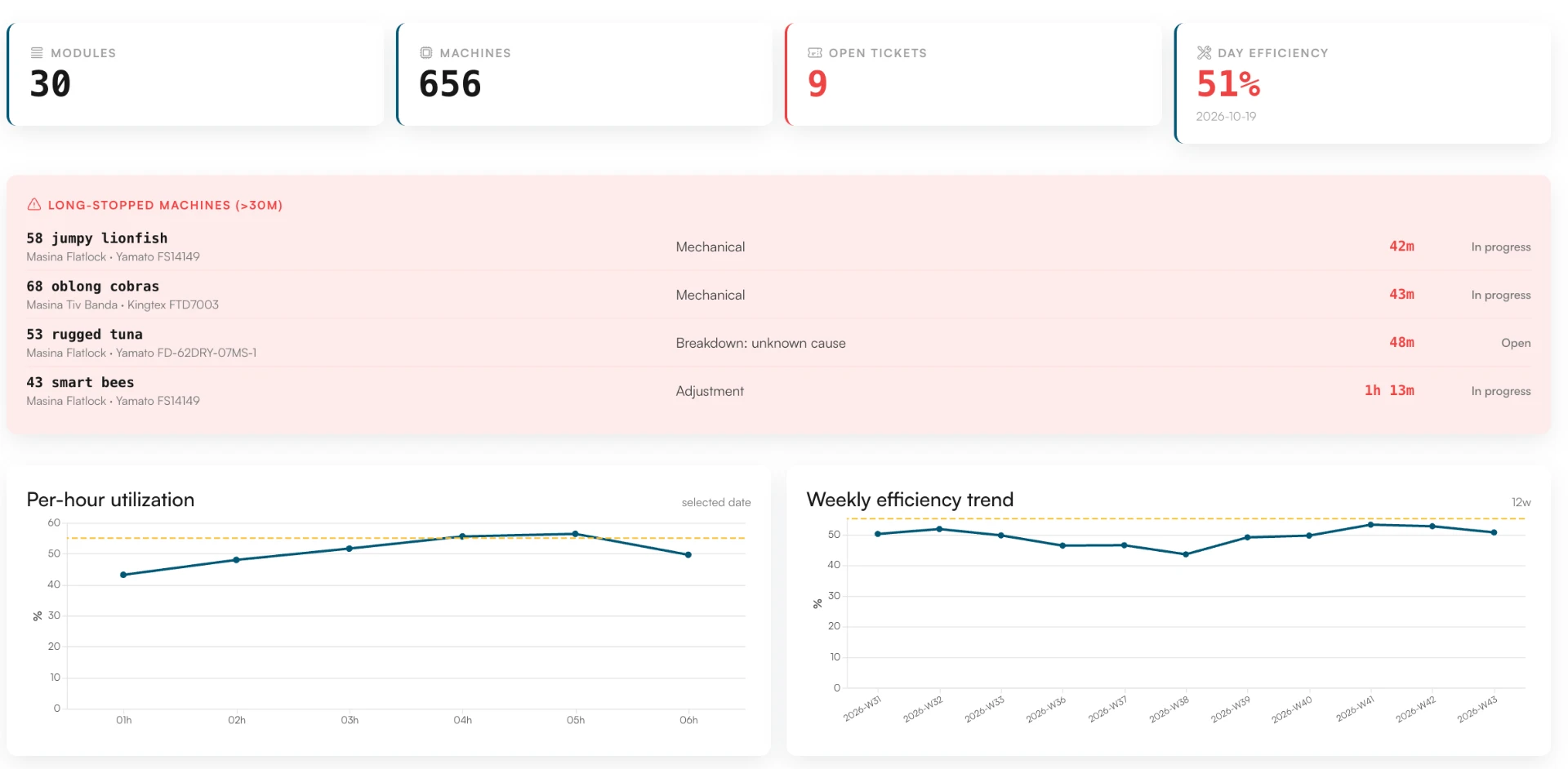
Long-stopped equipment, tickets and per-hour utilisation
03 / From finding to fix
Equipment that stops for too long is flagged while the shift is still running, so supervisors can move people and orders the same day. The long-stopped list connects each stop to the ticketing workflow: category, cause, duration and status are visible in one place, and the fix is documented on the asset's record for next time.
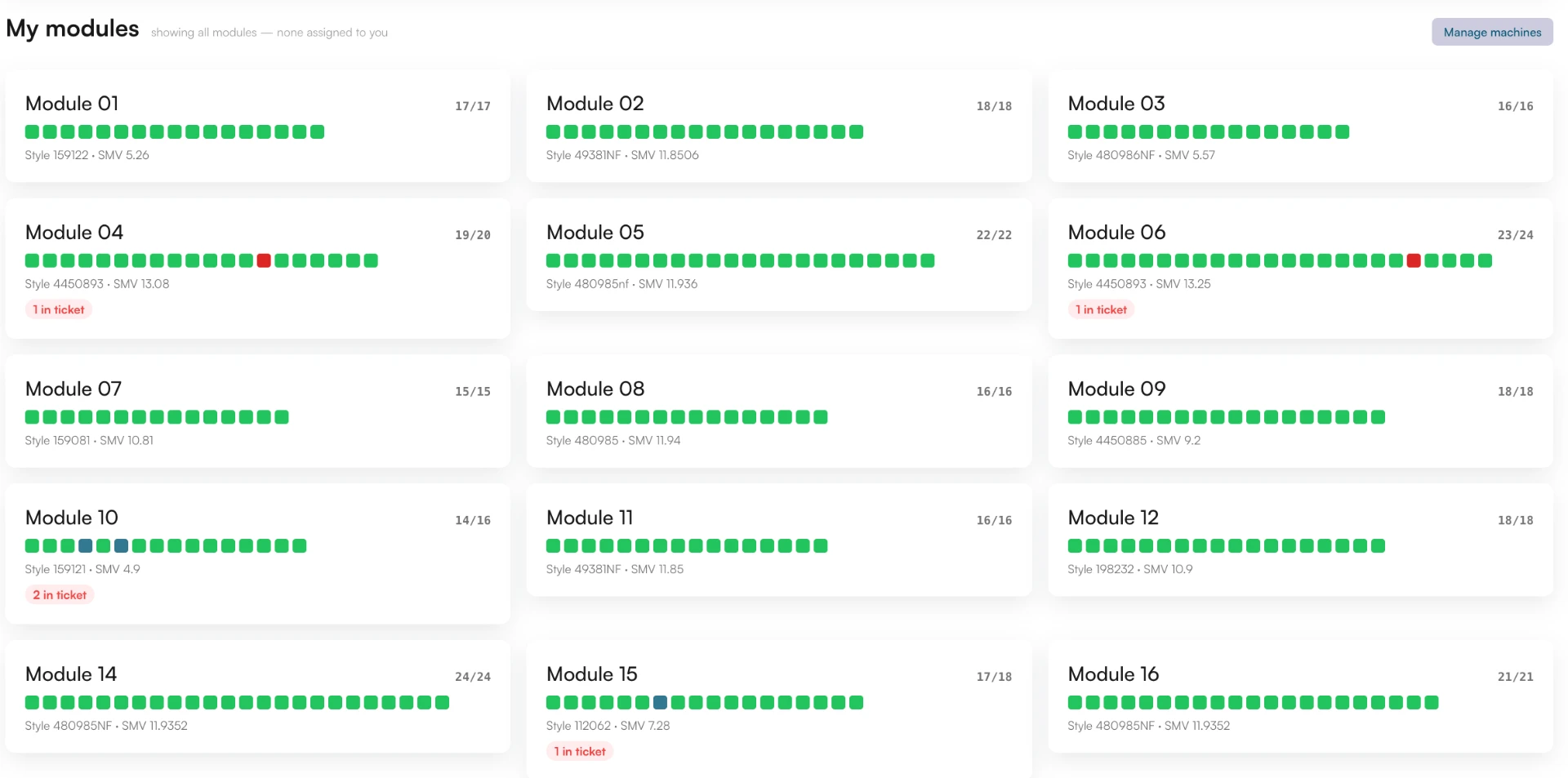
Every module with style and standard minutes
04 / Modules, styles and cycles
Every module shows the style it is running, the standard minute value and the operators on the line. Follow an order from release to finished goods, with performance history attached to every line and workstation. Mechanics receive a prioritised queue with the asset, location, duration and production context already attached, so the right issue is fixed first.
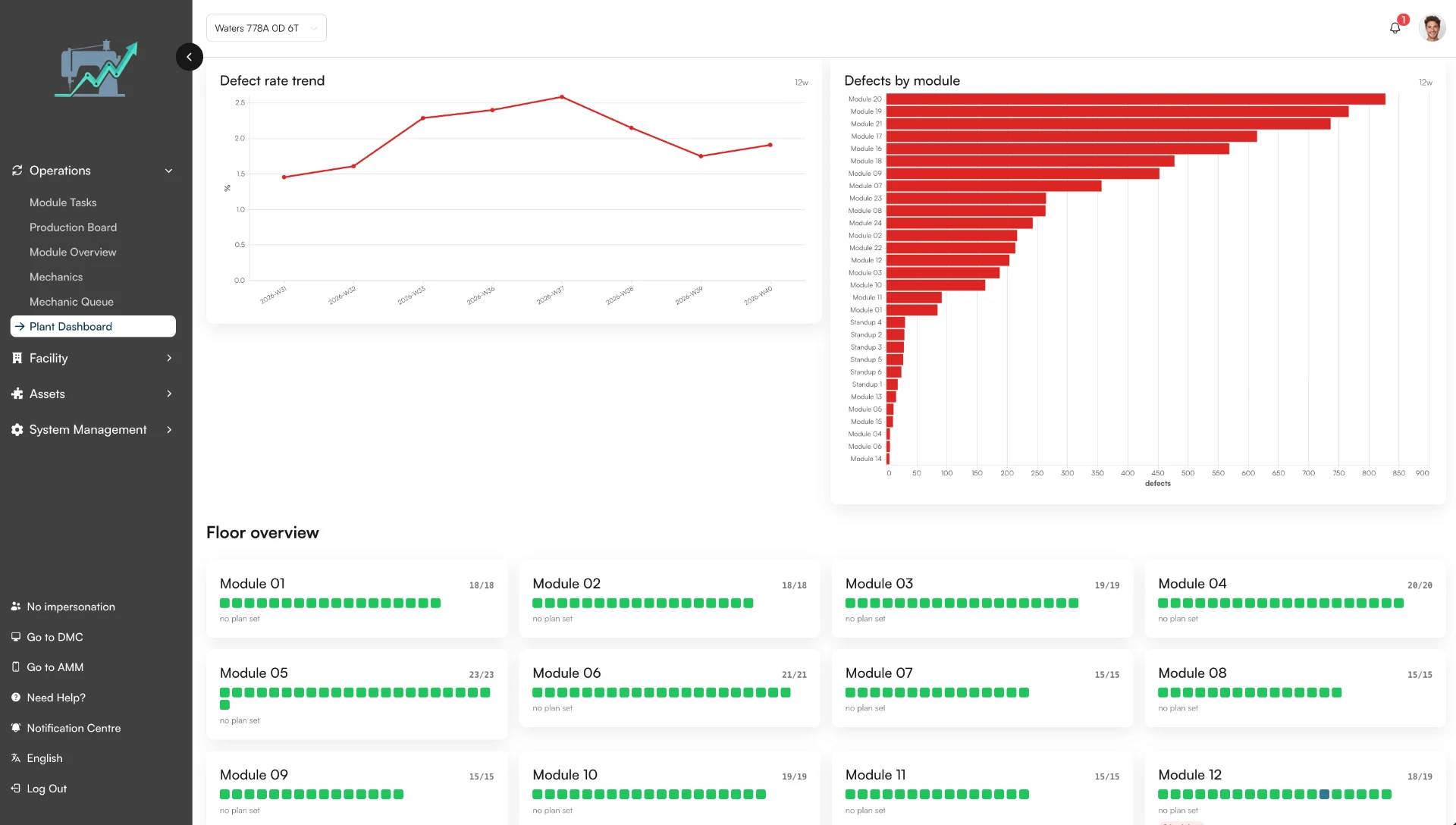
Defect trends, ranked by module
05 / Signals before results
A rising pattern of defects, adjustments or repair time can become visible before the weekly output figure shows the full effect. Trends help teams distinguish an isolated incident from a condition that is gradually worsening. The defect rate trend and defects by module show where quality issues concentrate, so the factory still has an opportunity to influence the result.
People & teams
Build shift and order plans against measured capacity, and adjust while the shift is still running.
See which modules are on target during the shift, and where support is needed.
A prioritised queue with the asset, location, duration and production context already attached.
See where a gap began, what else happened at the same time, and who is best placed to act.
Explore more
Register every asset and keep its location, history and costs in one place.
Turn issues into action with a connected workflow from report to resolution.
See how equipment is actually used, in real time.
Turn production data into concrete recommendations.
Also for production
Production Productivity System uses sensors fitted to equipment to detect stops and calculate downtime and productivity.
Live output, downtime and capacity — adjust while the shift is still running.